Yes! That worked David, thank you! You may want to apply a patch to the next version

| Volumes Of Fun http://www.volumesoffun.com/phpBB3/ |
|
| Realtime Ogre 1.8 Terrain Component manipulation http://www.volumesoffun.com/phpBB3/viewtopic.php?f=14&t=312 |
Page 5 of 13 |
| Author: | drwbns [ Fri Jan 27, 2012 4:27 pm ] |
| Post subject: | Re: Realtime Ogre 1.8 Terrain Component manipulation |
I'm not really sure what the arguments mean but since their size were both reduced I thought it would not make any difference as to which was used, but I tried your suggestion and it still crashes - Code: LowPassFilter<SimpleVolume, SimpleVolume, Density8> pass1(&volData, fullRegion2, &resultVolume, fullRegion2, 5); it specifically crashes in simplevolumesampler.inl @ Code: template <typename VoxelType> VoxelType SimpleVolume<VoxelType>::Sampler::peekVoxel1nx1py1nz(void) const { if( BORDER_LOW(this->mXPosInVolume) && BORDER_HIGH(this->mYPosInVolume) && BORDER_LOW(this->mYPosInVolume) ) { return *(mCurrentVoxel - 1 + this->mVolume->m_uBlockSideLength - this->mVolume->m_uBlockSideLength*this->mVolume->m_uBlockSideLength); // crash line here } return this->mVolume->getVoxelAt(this->mXPosInVolume-1,this->mYPosInVolume+1,this->mZPosInVolume-1); } and the error is - Unhandled exception at 0x0097cc05 in WorldCraft.exe: 0xC0000005: Access violation reading location 0x088efcc8. |
|
| Author: | David Williams [ Fri Jan 27, 2012 9:36 pm ] |
| Post subject: | Re: Realtime Ogre 1.8 Terrain Component manipulation |
Ah, I think I see it. The if statement: Code: if( BORDER_LOW(this->mXPosInVolume) && BORDER_HIGH(this->mYPosInVolume) && BORDER_LOW(this->mYPosInVolume) ) should read: Code: if( BORDER_LOW(this->mXPosInVolume) && BORDER_HIGH(this->mYPosInVolume) && BORDER_LOW(this->mZPosInVolume) ) Notice that in the first case 'mYPosInVolume' was used twice, and I've changed the second one to 'mZPosInVolume'. Does that make any difference? |
|
| Author: | drwbns [ Sat Jan 28, 2012 1:44 pm ] |
| Post subject: | Re: Realtime Ogre 1.8 Terrain Component manipulation |
Yes! That worked David, thank you! You may want to apply a patch to the next version
|
|
| Author: | David Williams [ Sun Jan 29, 2012 8:14 am ] |
| Post subject: | Re: Realtime Ogre 1.8 Terrain Component manipulation |
Ok, I'm glad that fixed it. I'll apply that change and have a quick check of the other functions to see if it crept in somewhere else. |
|
| Author: | drwbns [ Mon Jan 30, 2012 5:56 am ] |
| Post subject: | Re: Realtime Ogre 1.8 Terrain Component manipulation |
I had a question about raycasting - it seems to be intermittently working. Is this the correct way to raycast? Code: Ogre::Vector3 pos = mCamera->getPosition();
Ogre::Vector3 dir = mCamera->getDirection(); // Find the voxel we are looking at. PolyVox::Vector3DFloat start(pos.x,pos.z,pos.z); PolyVox::Vector3DFloat direction(dir.x, dir.y, dir.z); direction.normalise(); PolyVox::RaycastResult raycastResult; PolyVox::Raycast<PolyVox::SimpleVolume, PolyVox::Density8> raycast(volData, start, direction, raycastResult); raycast.execute(); if(raycastResult.foundIntersection) { mKeyDevices.mSceneMgr->getSceneNode("mEditNode")->setPosition(raycastResult.intersectionVoxel.getX(), raycastResult.intersectionVoxel.getY(), raycastResult.intersectionVoxel.getZ()); } |
|
| Author: | David Williams [ Mon Jan 30, 2012 9:11 am ] |
| Post subject: | Re: Realtime Ogre 1.8 Terrain Component manipulation |
You need to set the length of the direction vector to something appropriate. The length of this vector dictates how far the ray will travel (it doesn't just travel forever). Have a look at this example and note the multiplication by 1000: http://www.volumesoffun.com/polyvox/documentation/library/doc/html/class_poly_vox_1_1_raycast.html |
|
| Author: | drwbns [ Mon Jan 30, 2012 4:02 pm ] | ||
| Post subject: | Re: Realtime Ogre 1.8 Terrain Component manipulation | ||
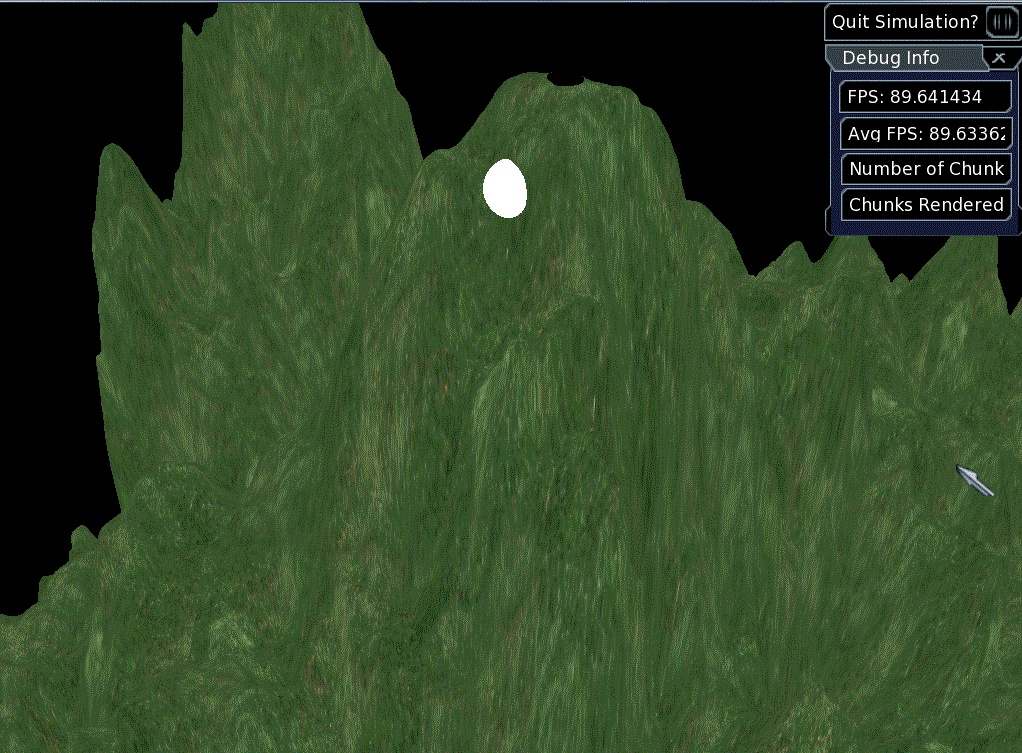
Ok, I added the multiplier code and it works better, but it still seems as though it doesn't hit the all the surfaces of the terrain, resulting it my Marker node "hiding" behind some surfaces like in the picture - sometimes disapeearing completly.
|
|||
| Author: | David Williams [ Mon Jan 30, 2012 4:15 pm ] |
| Post subject: | Re: Realtime Ogre 1.8 Terrain Component manipulation |
Actually the Raycst isn't designed for smooth terrain and I've never tested it against that. I mean, it should work in principle but it will treat the terrain as if it were cubic. This might explain the errors you are seeing. It has no concept of densities, just whether a voxel is solid or not. Also, there were some bugs fixed in the Raycast recently. Maybe that is related. You can probably grab just this file from Git, and drop it into the latest snapshot. |
|
| Author: | drwbns [ Mon Jan 30, 2012 7:09 pm ] |
| Post subject: | Re: Realtime Ogre 1.8 Terrain Component manipulation |
Ok I tried not using smooth terrain and I also tried the latest git files but I'm still getting the same results, what could be wrong with the raycasting code? |
|
| Author: | drwbns [ Mon Jan 30, 2012 7:12 pm ] |
| Post subject: | Re: Realtime Ogre 1.8 Terrain Component manipulation |
You mentioned that the code has no concept of densities. Does this mean that a voxel that isn't completely solid will be ignored? I'm not sure if I understand. How could I have the raycasting code changed to not ignore surfaces? |
|
| Page 5 of 13 | All times are UTC |
| Powered by phpBB © 2000, 2002, 2005, 2007 phpBB Group http://www.phpbb.com/ |
|